Taylor Davidson · Send K1s
Last year in my first annual reporting cycle as CFO, I encountered a small challenge in distributing Schedule K1s to limited partners (LPs) in a few investment special purpose vechicles (SPVs). We were not using a platform to manage the SPVs, so I was just working with an Excel detailing the LP names and email addresses. Provided a set of PDFs from our tax preparer, how should I distribute them to each partner?
Manually sending an email to each partner, even using a template email, was not going to bring me much joy. Complicating the matter was the issue of redaction and encryption. While the K1s redacted the EINs and SSNs of the investors, the PDFs were not password-protected, a known sensitive point with limited partners.
So I built a command-line utility that:
- Encrypted a folder of PDFs, scanning each one for the available digits of the SSN or EIN and the zip code of the recipient to create a unique password for each K1
- Using a template email in a
.txtfile and a.csvof the partner names and email addresses, automatically matched the names from the encrypted PDFs with the appropriate partner and sent an email through our company’s Gmail (or SendGrid) to each LP
Although I could have manually emailed each one in less time than it took to create the small program, it was far more fun and got me thinking about how to create more utilities like this.
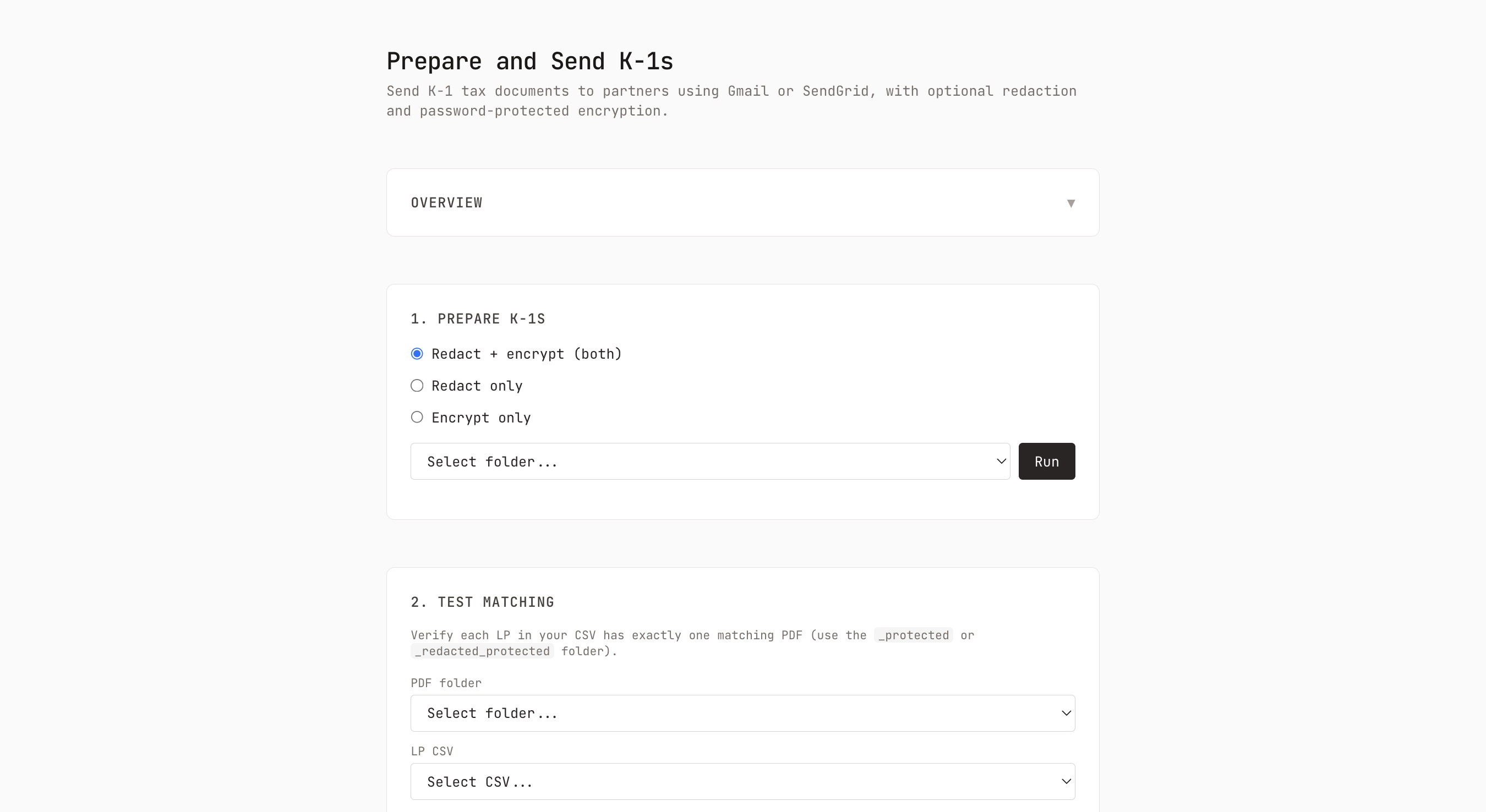
This year, I had a new challenge: what if the provided PDFs were not redacted? So I extended the script to also handle redaction when needed, and built out a few more test scripts to help make sure the script was working correctly before sending. And to help make it simpler to use, I added a web user interface, so that it was possible to run through a browser locally in addition to using the command line, providing a more accessible way to use it, but still keeping to the idea of keeping the data local to the user.
This year I packaged it up and shared it on Github, with a license that is permissive for you to use but with commercial restrictions. [1]
In short:
- Download or clone from Github
- Organize your PDFs into a folder on your computer
- Draft the email to be sent, and input your partner names and email addresses into the CSV (the repo includes an example of each)
- Run
npm run uior use the npm scripts to redact, encrypt, test-match, test-send, and send the PDFs to your partners. - Gmail Oauth is run through the browser, SendGrid is setup using the .env file. [2]
Questions, contact me anytime.
I will admit to a bit of a question in my mind as I packaged this up to share it: in the age of AI coding assistants and the ability to build customized software, is it still valuable to share tools like this? Are other people’s processes close enought to my own to get value out of this utility? Even if it did take me more than a few hours of prompts to work out the core functionality and handle edge cases - AI tools get you 80% there very quickly, but the last 20% still takes a long time - is the core function general enough that people would prefer to use or start from this, or just build their own? ↩︎
Other email service providers could be added without too much work. I like using Gmail because it comes from our Gmail, so it does not have security warnings and is mailed through our server names, plus it ends up as a sent item in my inbox, making it easy to deal with any questions from LPs and surface in our email inbox if needed. ↩︎